Overview
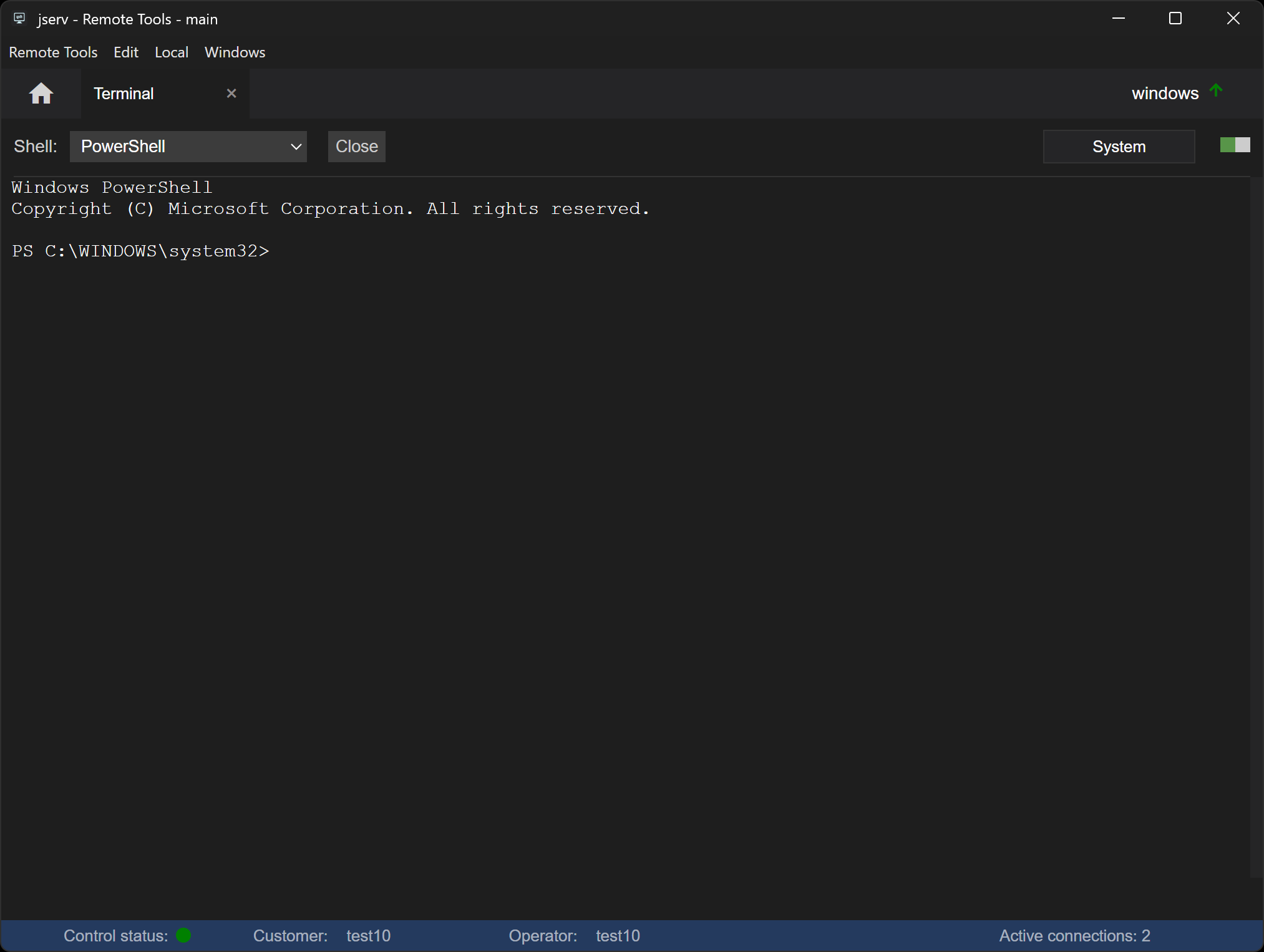
The Terminal function opens a fully interactive command-line shell at the agent, allowing you to run commands seamlessly from the control.
Opening a session
- On Windows, choose the Shell - PowerShell or Command Prompt. On Linux and macOS the account's own login shell is used
- To run as System or root, toggle the elevation slider on first - see Accounts
- Click Open
The shell's first output appears in the window and you can start typing commands.
Right-click in the window to copy and paste - Ctrl+C stops the running command. The last 10,000 lines of output are kept for scrolling back.
Closing a session
- Click Close in the toolbar to end the shell. The output stays in the window
- Close the Terminal tab with its ×, which also ends the session
Accounts
By default the shell opens as the account set by the agent's settings. If the elevation slider is toggled on, it opens as root, or System on Windows - see Privilege Elevation.
Permissions
📌 The options available to you depend on the agent's settings and your operator profile.
| Permission | Set in | Allows |
|---|---|---|
| Terminal | Agent settings | Using the Terminal on this agent |
| Allow Terminal | Operator profile | Opening a shell session |
| Allow Privilege Elevation | Operator profile | Toggling the elevation slider on - see Privilege Elevation |
See Configuration Options for all the settings.